Community Communication
A clear path from school update to inbox.
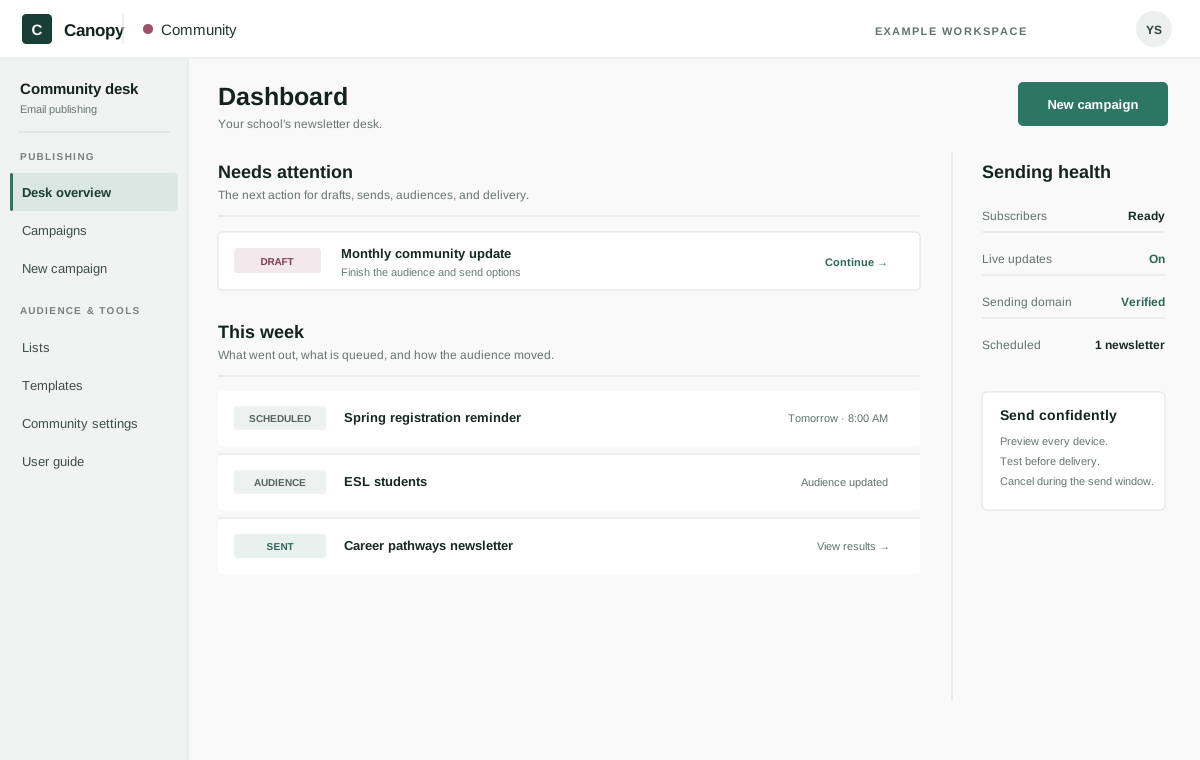
Canopy Community brings newsletter creation, audiences, testing, sending, and results into one school-focused desk. Build from a reusable template, add approved PhotoVault images, choose the right lists or segments, and keep every send visible from draft through delivery.
The sending-day reality
Sending is only one part of newsletter day.
Someone still has to choose the audience, find the right image, check the mobile version, send a test, confirm the timing, and deal with bounces afterward. Community keeps those decisions together so staff can see what needs attention before, during, and after every newsletter.
- Designed and previewed
- Tested before sending
- Delivery kept visible
How Community works
From first draft to a healthier next send
- 1
Build from a useful starting point
Start with a seeded or saved template, write the subject and preview text, and bring approved school photos in from PhotoVault without leaving the workflow.
- 2
Choose the right audience
Send to one or more lists or target a segment. Manage subscribers, import a CSV, and use custom fields for groups such as program, campus, or language.
- 3
Test, review, and schedule
Check the inbox line and desktop or phone preview, send a test email, then save, schedule, or send. Authorized staff see the final audience and timing before anything moves.
- 4
Follow delivery and improve
Review opens, clicks, bounces, and unsubscribes. Remove hard bounces from future sends or create a follow-up for people who did not open the first email.
A safer send
A send window for the moment after you click
When you choose Send now, Community holds the newsletter for five minutes and shows a live countdown. If you spot a mistake, Cancel send restores the complete draft so you can correct it instead of sending a second email to explain the first.
Inside Community
The whole newsletter desk, connected
The practical pieces your team needs to prepare the audience, build the newsletter, send with care, and act on the result.
- A four-stage composer with inbox, desktop, and phone previews
- Reusable templates plus approved PhotoVault image selection
- Subscriber lists, segments, CSV import, and custom fields
- Test sends, scheduled delivery, and a five-minute cancel window
- Live audience movement, sending health, and domain status
- Engagement results, delivery problems, and non-opener follow-up
Bring the next update
See your next newsletter in Community
Bring an upcoming school update to the walkthrough and see how it moves from template and audience selection through test, send, and delivery review.