One connected ecosystem
Eight products. One school communications system.
Canopy connects the photos, stories, creative requests, newsletters, social posts, class information, and campaign pages your school already works with—so useful content can move forward instead of being recreated, and you can see what worked.
One school workspace · shared context · Insights measures every channel
The product suite
Each product owns a clear job. Together, they carry the story.
Start with the work your school needs most. The value compounds as products share approved material, context, and destinations.
Photos & brand
PhotoVault
Give every team and connected Canopy product one trusted place for approved images, logos, colors, type, and templates.
Connected by design. Feeds approved imagery and brand guidance into Stories, Reach, Community, ASAP, and Create.
Explore PhotoVault
Story collection
Canopy Stories
Collect thoughtful responses and photos from students, staff, or partners, then shape each submission into useful school content.
Connected by design. Receives PhotoVault imagery and sends finished stories directly to Reach.
Explore Canopy Stories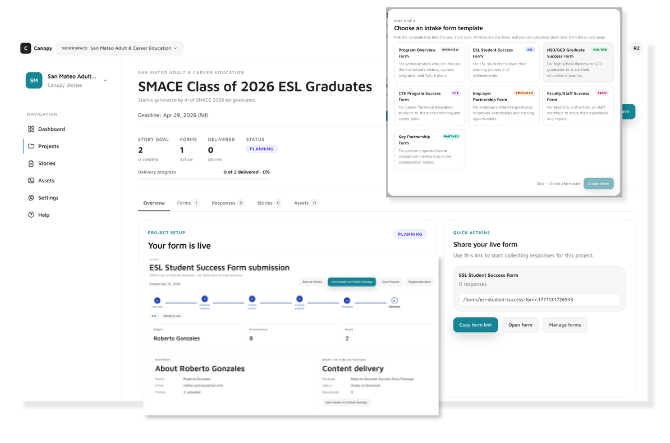
Social publishing
Canopy Reach
Draft, review, schedule, and publish platform-aware social content without rebuilding the weekly plan in separate tools.
Connected by design. Starts with a story, class, PhotoVault album, or simple communications brief.
Explore Canopy Reach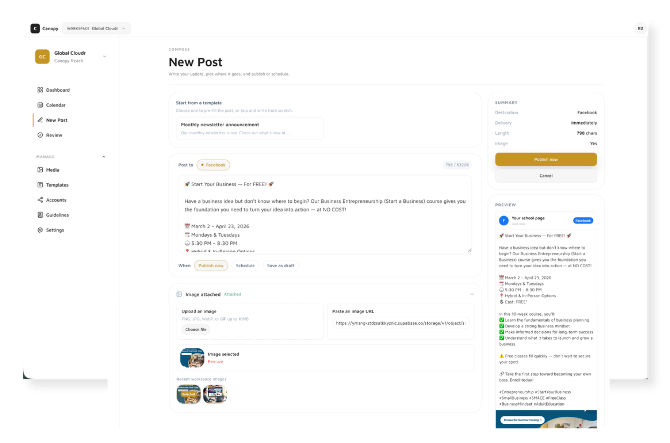
Newsletter publishing
Canopy Community
Build, target, test, schedule, and review school newsletters in one controlled sending workflow.
Connected by design. Brings approved PhotoVault imagery into reusable newsletter templates.
Explore Canopy Community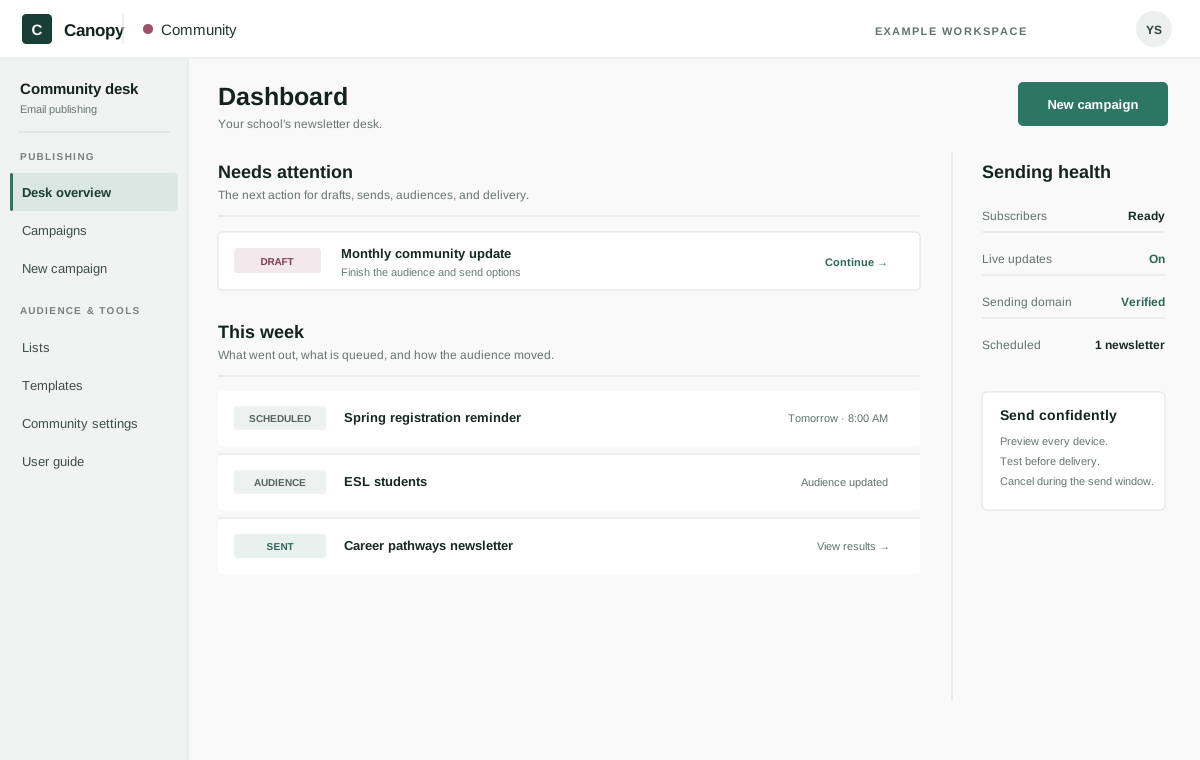
Classes & catalog
Canopy ASAP
Turn live ASAP Connected data into branded, searchable catalog and class pages on your school website.
Connected by design. Gives every campaign a current class page to link to—and Reach a live class to promote.
Explore Canopy ASAP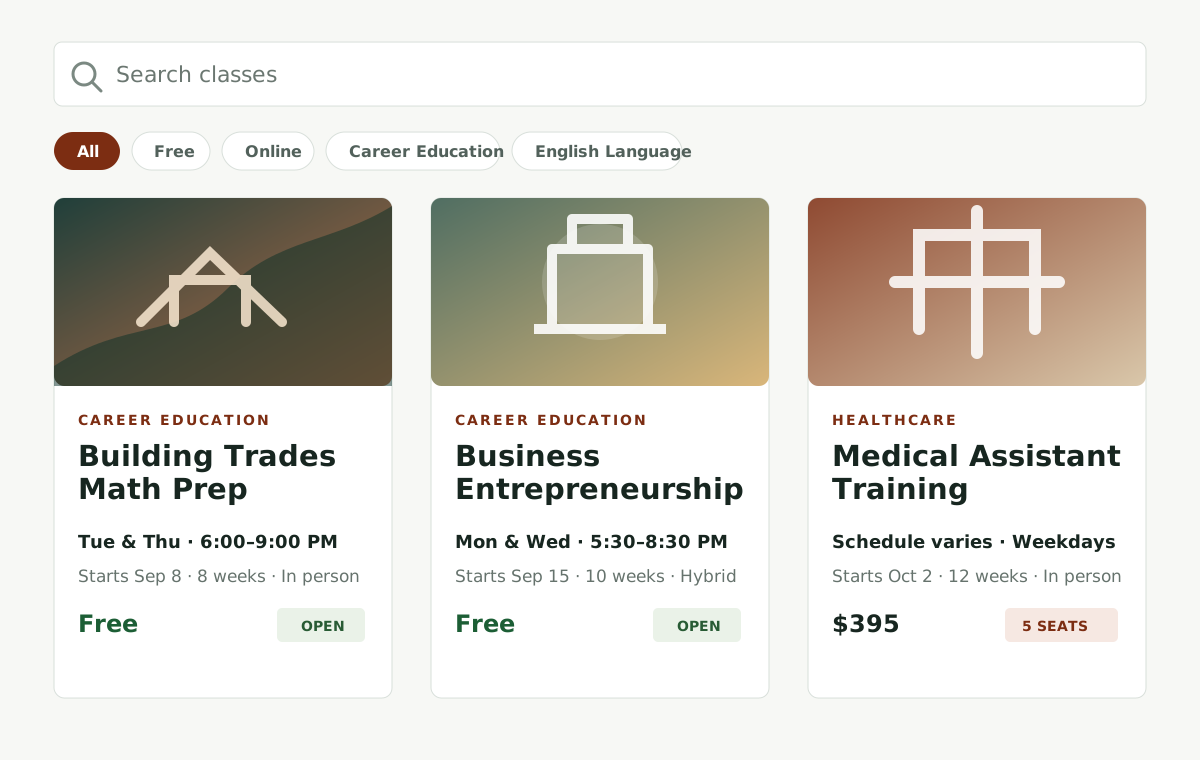
Creative production
Canopy Create
Submit a clear creative request, follow production, review proofs, request changes, approve the current version, and retrieve final files.
Connected by design. Keeps briefs, reference files, proof decisions, and delivered work together in the same school workspace.
Explore Canopy Create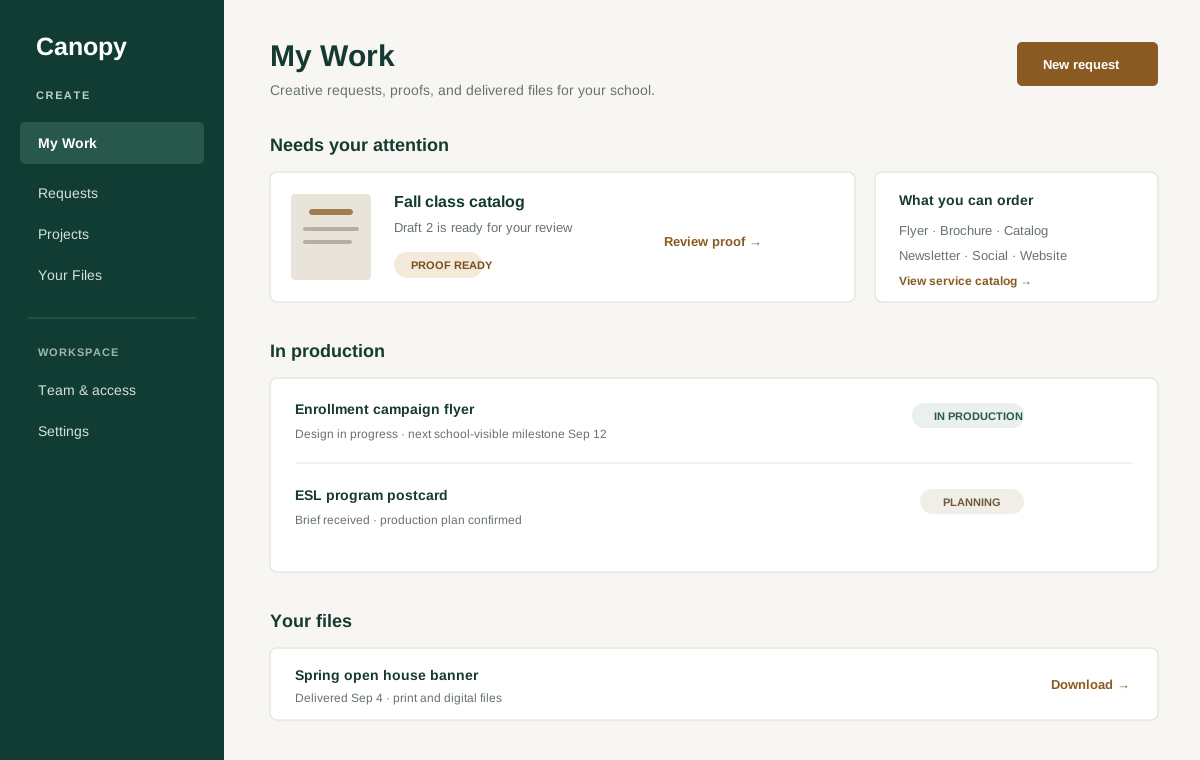
Reporting
Canopy Insights
See newsletter, catalog, call, enrollment, and Google Business Profile results side by side, compared with the period before, with what needs attention first.
Connected by design. Reads Community newsletters and ASAP enrollment on its own, alongside the other channels your school runs.
Explore Canopy Insights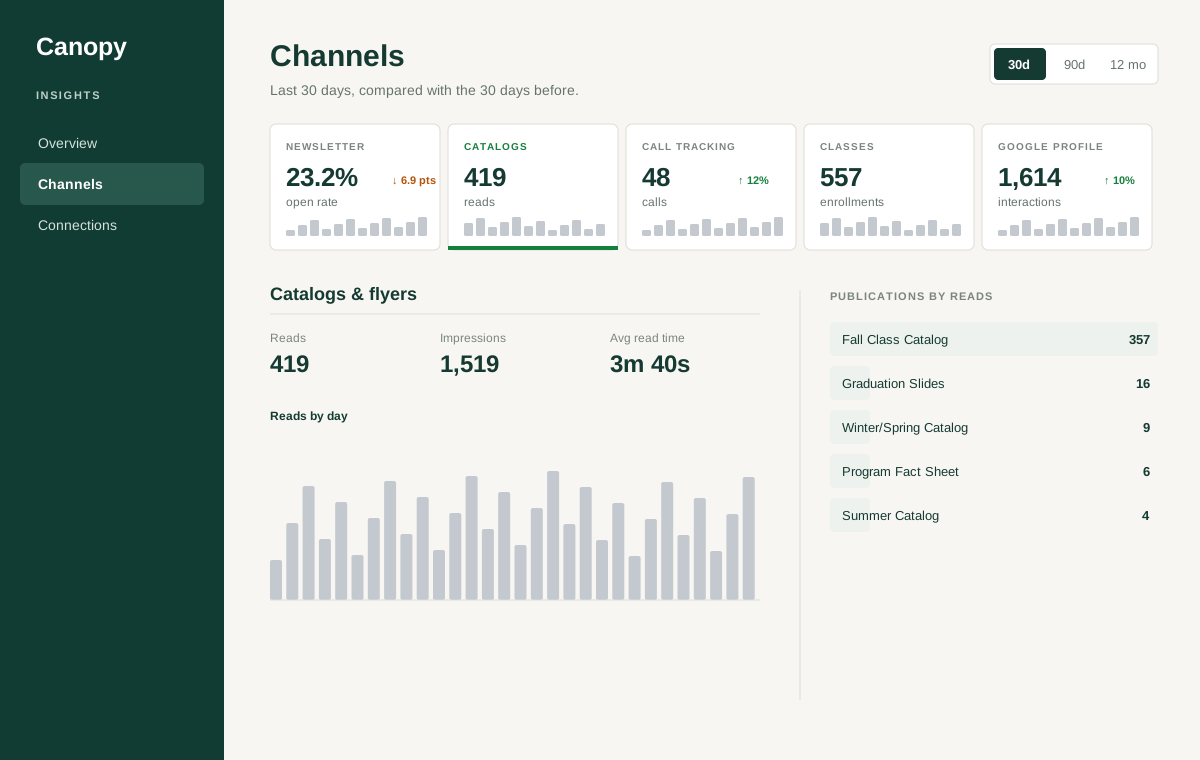
Campaign pages
Canopy Campaigns
Give each enrollment push a focused page—spotlight a class or program, collect inquiries, or help learners find the right class—with every inquiry in one leads inbox.
Connected by design. Pulls live classes from ASAP and photos from PhotoVault; Promote this in ASAP starts a page for you.
Explore Canopy Campaigns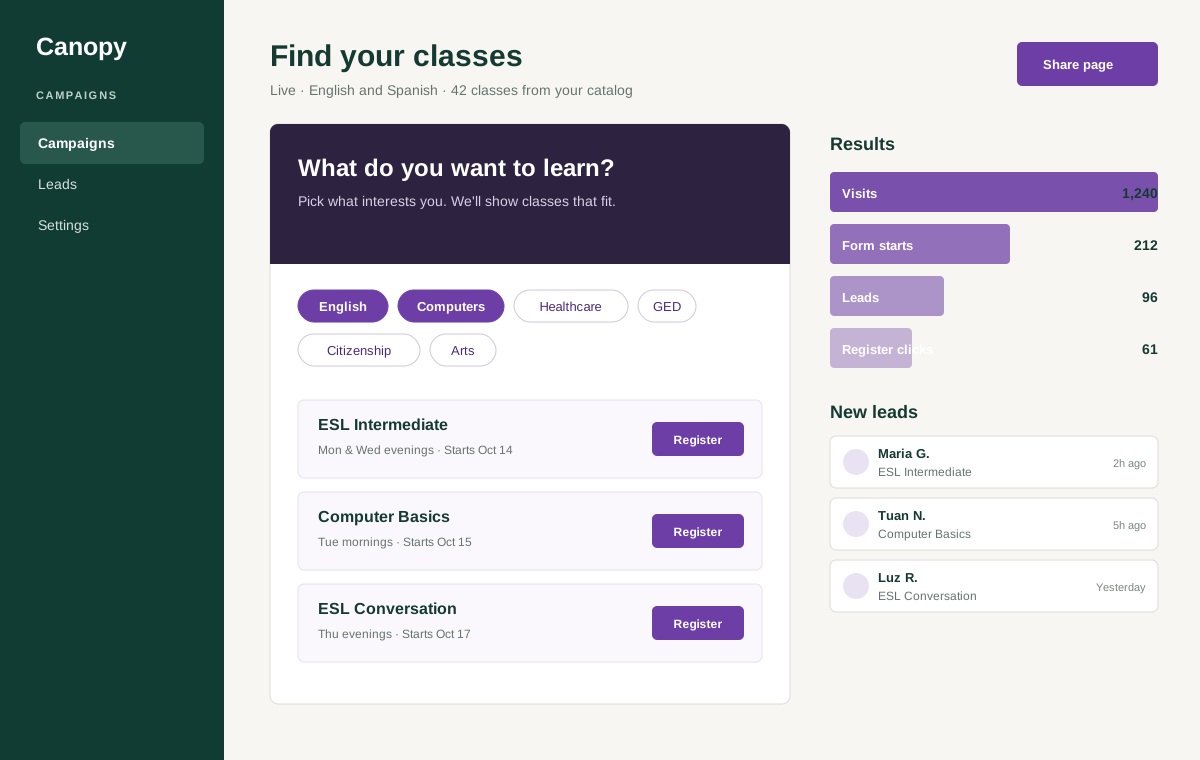
What connection changes
Less rebuilding. More useful communication.
- 01Find the approved photo instead of searching again.
- 02Move a finished story into the social plan with its context intact.
- 03Bring school imagery into a newsletter without leaving the workflow.
- 04Promote a class with a current catalog page behind the message.
- 05Ask Canopy how to do something and get the answer from the guide, right where you are working.
Bring your communications week
See where Canopy fits your school.
Bring one upcoming class, story, newsletter, or campaign to the walkthrough. We will map it across the products your team actually needs.